 iPhone · Runs on‑device
Keep your best shots, clear the rest.
You shoot the same scene thirty times to get one good photo. Selects finds those photoshoots and pre‑picks the keepers. You just correct with a tap.
And a big video doesn't have to go at all. Selects makes a smaller copy and leaves your original alone.
iPhone·iOS 26 or later·Free·No account
How it works
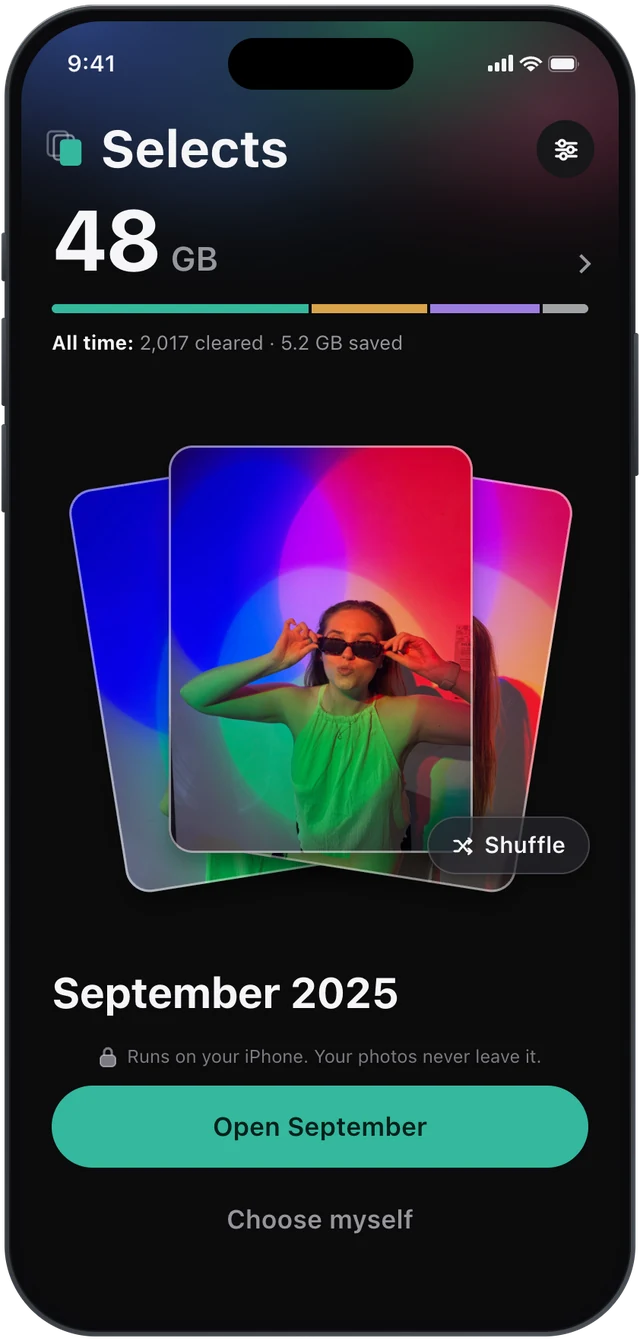
The tedious first pass, already done.
Selects does the boring sorting, then hands you the few decisions that actually need an eye.
See where the space went.
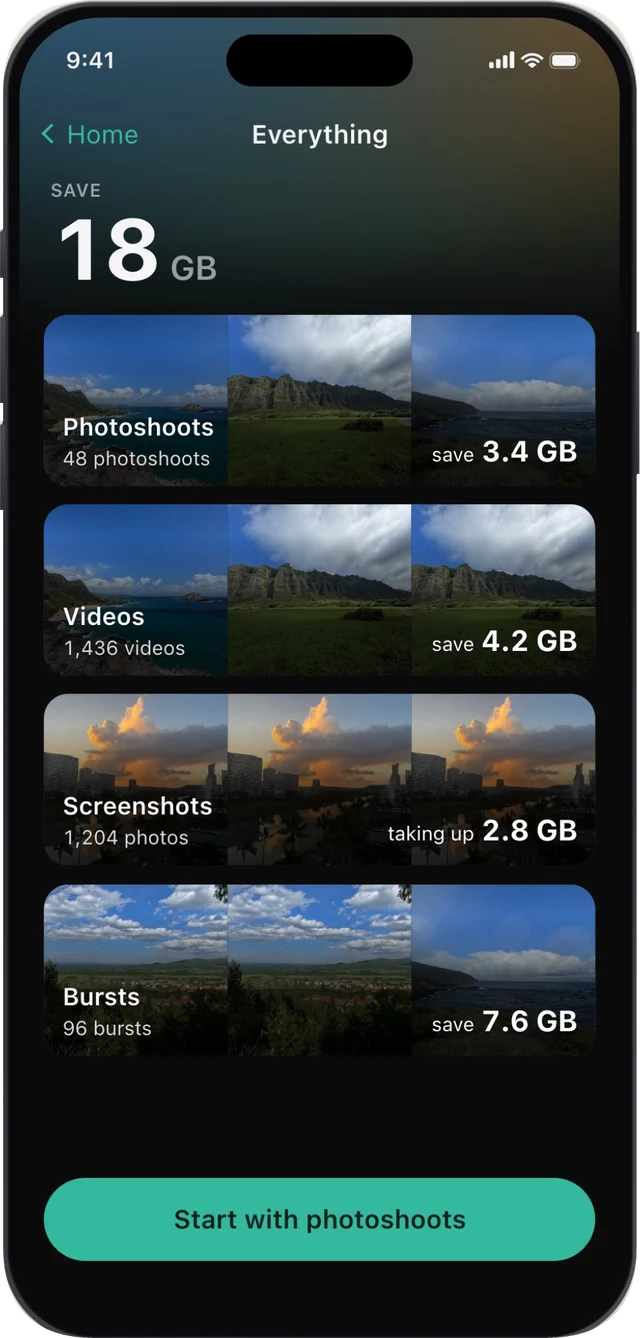
Selects sorts your library into four passes and shows what each one could give back. Photoshoots, bursts that collapse to the one frame worth keeping, the screenshots you never opened again, and videos listed largest first. Start with the biggest. Or skip the grouping and browse everything in a plain grid.
It pre-picks the keepers. You just correct.
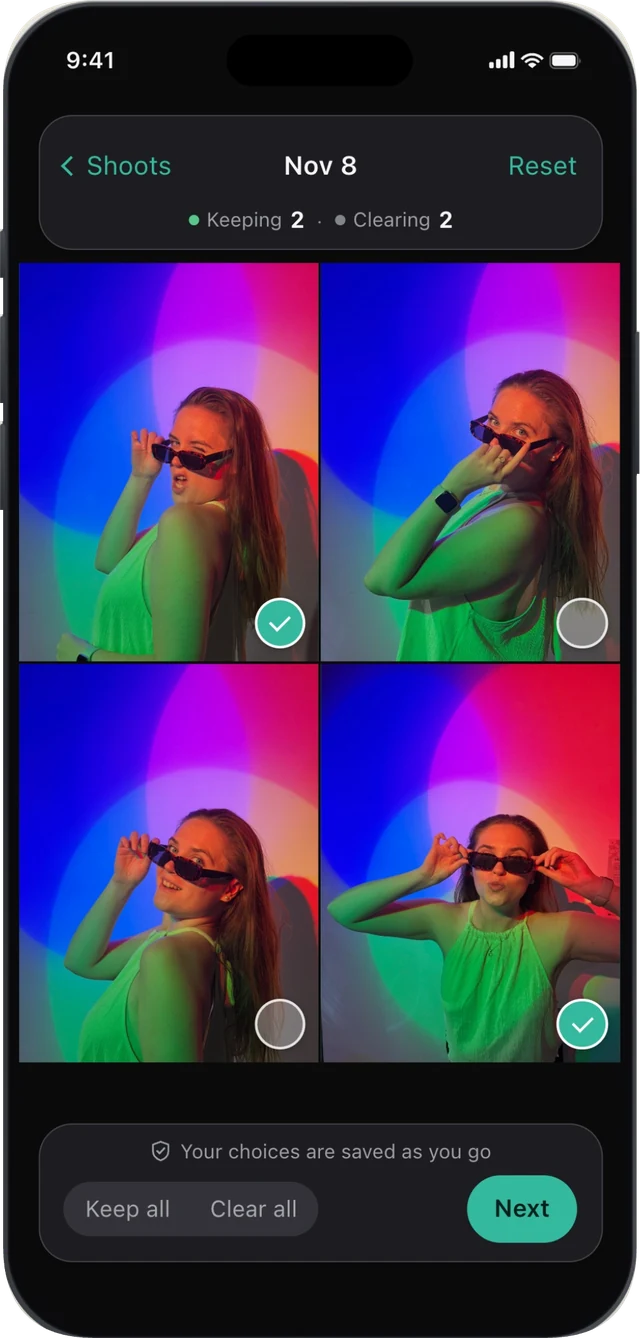
Selects groups each photoshoot (the same scene shot ten or twenty times) and pre‑picks the keepers: the sharpest, plus the one that's genuinely different so you don't lose the moment. Tap a circle to flip any shot between keep and clear, or tap Compare to put two frames side by side. Your choices are saved as you go.
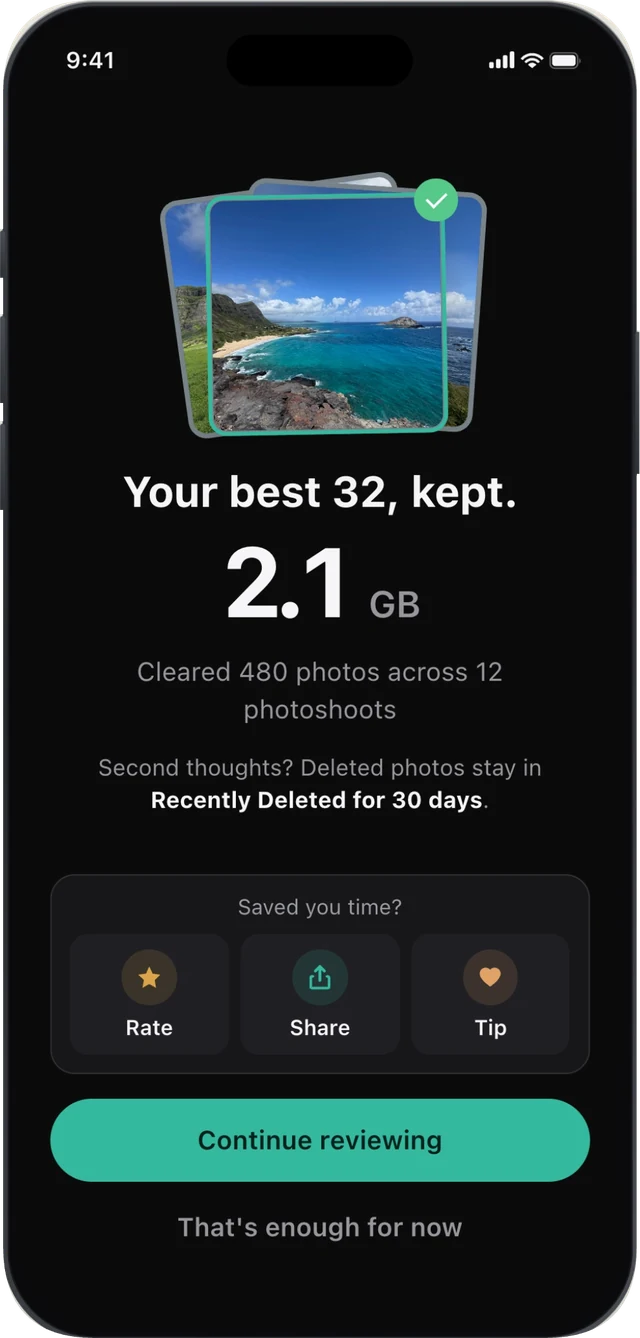
Your best few, and the space back.
A 40‑photo shoot becomes its best handful. Selects hands off to iPhone's own delete to confirm, so nothing goes without your tap, and everything cleared waits in Recently Deleted for 30 days. Then it tallies what you kept and what you got back, and rolls you into the next shoot.
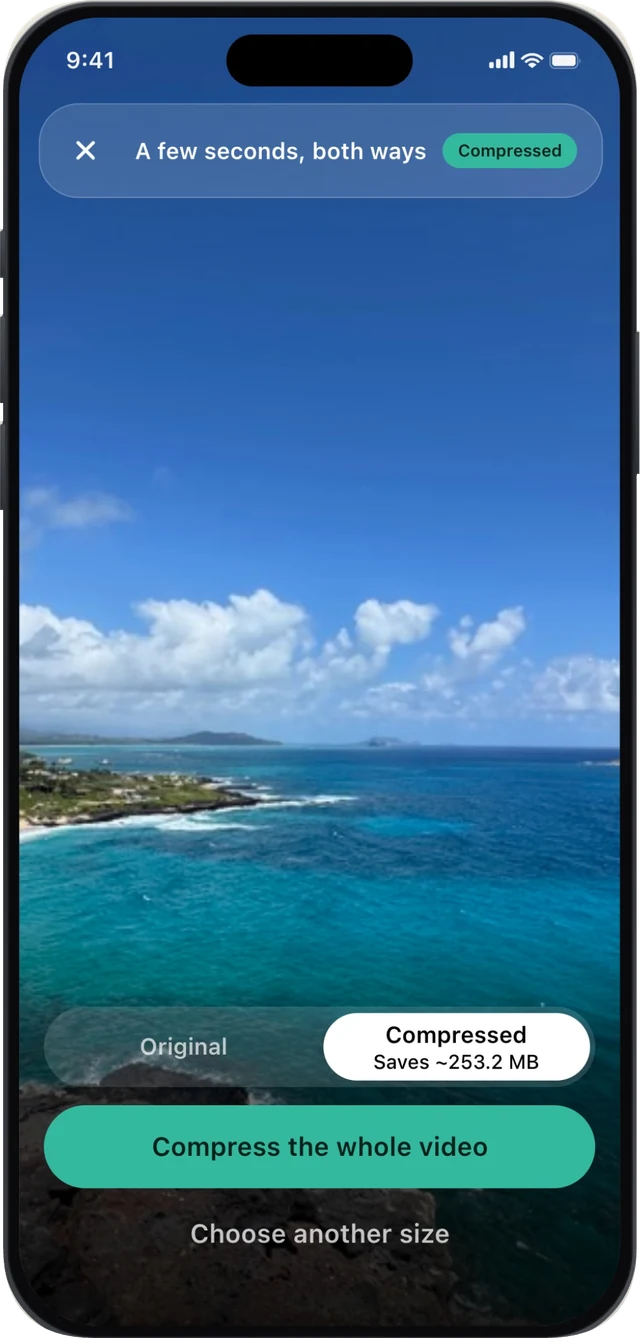
A big video doesn't have to go.
Selects makes a smaller copy and never touches your original. You see a real preview first, encoded from the hardest seconds of that clip, so you judge the quality yourself instead of trusting a number. Both sit in your library until you decide. The space comes back when you remove the original, which is its own confirmed step.
On‑device by design
Your photos never leave your iPhone.
Selects reads your library on‑device, using the same Vision framework already built into your phone. No account, no ads, no photo uploads.
On-device, always
Grouping and scoring run entirely on your iPhone. Your photos are never uploaded and never leave the device.
Nothing deleted without you
Selects only ever suggests. The removal is your tap, and it goes through iPhone's own delete into Recently Deleted for 30 days.
Free, no strings
No account, no subscription, no ads. Selects is free. There's an optional tip jar, and it unlocks nothing, because there's nothing to unlock.
Freeing up space on your Mac too?
Library Cleanup is the deep‑clean tier of the same family: it sweeps your whole Mac photo library for duplicate photoshoots and repeat videos. In my own 27,518-photo library, it found 33.4 GB to clear. Same on‑device promise, same safety.
Questions
Is it really free?
Yes. No account, no subscription, no ads, and nothing locked behind a paywall. There's an optional tip jar if you'd like to support it, and it unlocks nothing, because there's nothing to unlock. I built it for my own photo library and decided to share it.
Do I have to delete my big videos?
No. Selects makes a smaller copy of a long clip and leaves your original exactly as it was. You get a real preview first, encoded from the hardest seconds, so you judge the quality yourself. Both sit in your library until you decide, and the space comes back when you remove the original, which is its own confirmed step. HDR stays HDR, and slow motion and Cinematic clips are left alone.
Do my photos ever leave my iPhone?
Never. Selects reads your library on‑device using the Vision framework already on your iPhone, so your photos are never uploaded. No account, and no copy of your photos in the cloud.
Can it delete a photo I want to keep?
No. Selects only suggests, and it never suggests clearing a photo you have marked as a favorite. You confirm the removal, and it goes through iPhone's own delete, so cleared photos sit in Recently Deleted for 30 days and can be restored any time in that window.
Do I have to finish in one go?
No. Your keep and clear choices are saved as you go, so you can put the phone down mid‑photoshoot and pick up exactly where you were. Nothing is removed until you confirm, so a half‑finished review leaves your library exactly as it was. Selects remembers where you got to.
What if I'd rather choose everything myself?
Tap Browse all photos to skip the grouping and go through your library by hand, newest first or largest first. Same safe removal at the end. You can also tell Selects how bold to be: Keep more, Balanced, or Clear more.
Can I clean up just one album?
Yes. Albums is one of the ways in: pick any album you have and Selects looks only there. You can also narrow by dates, a single year or a range, or skip the grouping entirely and browse everything in a plain grid. Whatever you pick, the review and the safe removal work the same way.
What if my photos are in iCloud?
That works. If your library is optimized for storage, Selects fetches what it needs to look properly at a photo. Whether it does that over mobile data is your choice, not an assumption, and anything still in iCloud is never deleted by a failed fetch.
Why did a whole burst disappear?
iOS won't let an app delete single frames inside a burst stack, so keeping one works differently: Selects saves your chosen frame as a new photo, then removes the stack. You end up with the frame you wanted and one fewer pile. Because the keeper is a new photo, it leaves any album the burst was in, and everything removed waits in Recently Deleted for 30 days.
Which iPhones does it support?
Any iPhone running iOS 26 or later.
How is it different from Library Cleanup?
Same family, different job. Selects is the on‑the‑go tier: photoshoots, bursts, screenshots and videos, sorted on your iPhone in a few taps. Library Cleanup is the deep‑clean tier for your whole Mac library, focused on reclaiming storage from duplicate photoshoots and repeat videos.
Turn a 40-photo shoot into its best few.
On‑device cleanup for your iPhone photos and videos. Free, private, and quietly good at its one job.

iPhone·iOS 26 or later·Free